


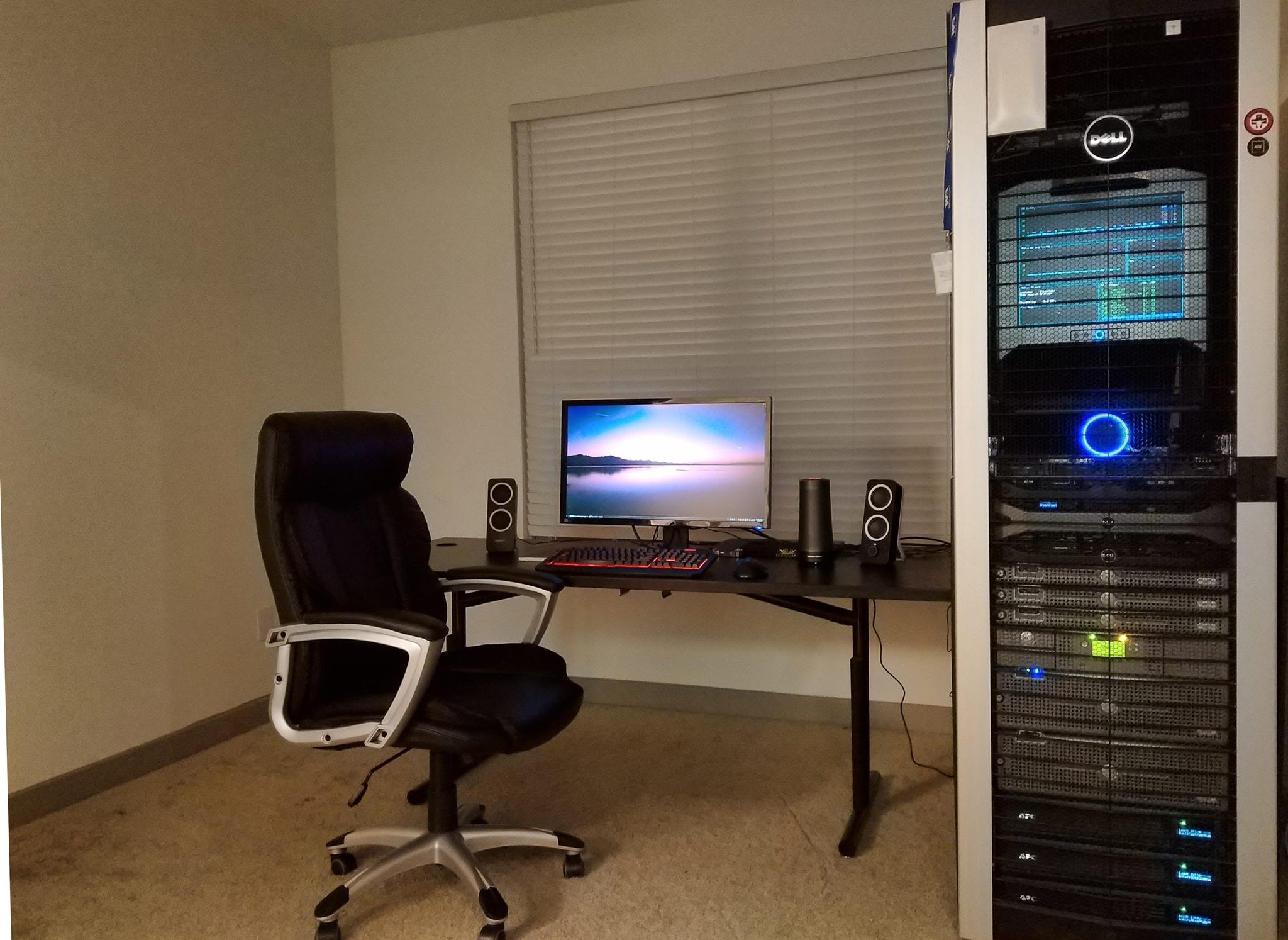
My home office: 42U rack with Dell R7xx servers, MD3000 storage, Tape Backup, APC UPS, and the Ubiquiti UDMp keeping it all connected.
I’m a Senior Linux Architect and infrastructure engineer. I’ve spent years wrangling enterprise networking gear, dealing with licensing nightmares, and explaining to management why a simple network change requires a service contract renewal. So when I say Ubiquiti’s UniFi ecosystem is a breath of fresh air, I’m not speaking as a fanboy, I’m speaking as someone who’s genuinely relieved.
The Breaking Point: Subscription Fatigue
Let me be blunt: Cisco Meraki’s subscription model finally broke me. Yes, their management interface is excellent. Yes, their support is solid. But holy hell, the ongoing costs for what amounts to basic network functionality became indefensible. When you’re running networks at home, for friends, and for small businesses, those annual renewals add up fast. I needed something that didn’t hold my own hardware hostage behind a paywall.
Enter Ubiquiti.
My Setup (And What I’ve Learned Over Two Years)
I’ve been running UniFi gear for about two years now across multiple sites:
My home: UDM Pro, WiFi 6 Pro APs, UniFi Protect cameras, and Access control (doorbell and card entry)
Friend’s home/small business: Another UDM Pro
Additional sites: Dream Routers and Cloud Gateway Max devices
Two years in, and I haven’t replaced a single piece of failed hardware. Not one. That’s not marketing speak, that’s my actual experience.
The Site-to-Site VPN: Where Ubiquiti Really Shines
Here’s where things get interesting. I manage several networks for friends with kids, and we’ve set up site-to-site VPNs between our homes (primarily for media server sharing). Using Ubiquiti’s SiteMagic SD-WAN? Point. Click. Done.
No endless IPSec configuration files. No troubleshooting phase 1 versus phase 2 negotiations at 2 AM. You literally select the sites you want to connect, enable the VPN, and it just works.
The performance is stellar. I’m running 500/500(Mbps) internet, and I consistently hit those speeds on daily tests. When multiple friends are streaming HD content from my media server simultaneously, the network doesn’t even break a sweat. The hardware crypto acceleration in the UDM Pro handles IPSec and WireGuard traffic at wire speed, which means the VPN doesn’t become a bottleneck.
Pro tip: Enable broadcast translation, and your media servers become discoverable across sites. It’s seamless enough that my friends’ non-technical family members don’t even realize they’re accessing content over a VPN.
Parental Controls That Actually Work
I run separate VLANs and SSIDs for the kids at a couple of sites, using UniFi’s built-in content filtering. The controls are enterprise-grade, which means they’re comprehensive without being overly complex. Block adult content network-wide for the kids’ subnet, set time-based access restrictions for other services, and you’re done.
Is it perfect? No filtering solution is. But it’s effective, manageable from a single interface, and doesn’t require ongoing subscription fees or third-party services.
The Management Experience: UniFiOS and Controller
Coming from a Linux background, I’ll admit I was initially skeptical of Ubiquiti’s somewhat walled-garden approach. I’ve run Fortinet, Juniper, Cisco, Cisco/Meraki, pfSense and OPNSense in production, and while they’re incredibly powerful, they require constant attention and fine-tuning. Every update is an adventure. Every new feature requires reading documentation and editing config files.
UniFiOS trades some of that flexibility for polish, and honestly? The polish wins. The web interface is fast, intuitive, and consistent across all their products. Firmware updates have been rock-solid for me over two years (though I’ll caveat that I’m not running complex 5,000-line enterprise configurations).
The single pane of glass management is real. I can monitor, configure, and troubleshoot networks across multiple sites without SSH-ing into individual devices or juggling different management systems.
Security and Access: UniFi Protect and Access
The integration between UniFi Protect (cameras) and Access (door controls) feels genuinely cohesive. When someone approaches my property, I get instant alerts. Review footage, grant or revoke access permissions, all from the same controller that manages my network.
It’s not bolted-on functionality, it feels like it was designed as part of a unified ecosystem from the start. For home labs and small business deployments, this integration eliminates a lot of complexity.
The “Set and Forget” Reality
Here’s the acid test: How often do my non-technical friends call me for help?
Almost never. And when they do, it’s because their ISP is having issues, not because of the Ubiquiti gear. That’s the strongest endorsement I can give. These networks have been genuinely low-maintenance, which means I’m not spending my off time troubleshooting routing issues or explaining to friends why their internet is down (or slow).
Who Should (and Shouldn’t) Consider Ubiquiti
You should consider UniFi if:
You want prosumer/light enterprise features without enterprise pricing or crippling annual subscription fees
You value ease of management and unified control
You need to manage multiple sites (homes, small businesses, remote offices)
You want hardware that’s reliable enough to not think about
Site-to-site VPNs and VLAN segmentation matter to you
You might want to look elsewhere if:
You need the absolute bleeding edge of every networking feature (really?)
You require extensive customization at the CLI level
You’re managing a large enterprise with complex compliance requirements
You enjoy tinkering for tinkering’s sake (pfSense/OPNSense is still great for this)
The Bottom Line
After two years of real-world use across multiple sites, I’m sold on Ubiquiti for home and small/medium/startup business deployments. The hardware is solid, the management is genuinely easy, and the lack of subscription fees means the value proposition only gets better over time.
Is it perfect? No. But it’s the first networking ecosystem I’ve deployed where I spend more time using the network than I do managing it. For a Linux architect who’s seen behind the “Wizard of Oz” curtain of enterprise networking, that’s high praise.
The VPN functionality alone has been transformative for how my friends and I share resources across sites. The fact that it’s point-and-click simple while also being fast and secure is a rare combination.
If you’re on the fence, my advice is simple: Start small with a Dream Router or Cloud Gateway and a single AP. You’ll quickly see whether the UniFi approach works for your use case. For me and the networks I manage, it’s been a game-changer.
Have questions about Ubiquiti deployments or want to share your own experiences? Drop a comment below.
I resonate with what you wrote. That subscription fatigue is so real, beyond just networking. Your move to Ubiquiti for ownership-based solutions makes perfect sense. It truly highlights how crucial accesible, reliable infrastructure is for innovation, especially for smaller businesses or educational setups. Brilliant insights.